1 · Capture
Staff run a timer or log time on desktop or mobile, tagged to the client, project and activity.
Product · Run the work
Capture time on desktop or phone, then turn it into invoices built from the work behind them — WIP, tax and approvals all in one place.
What you can do
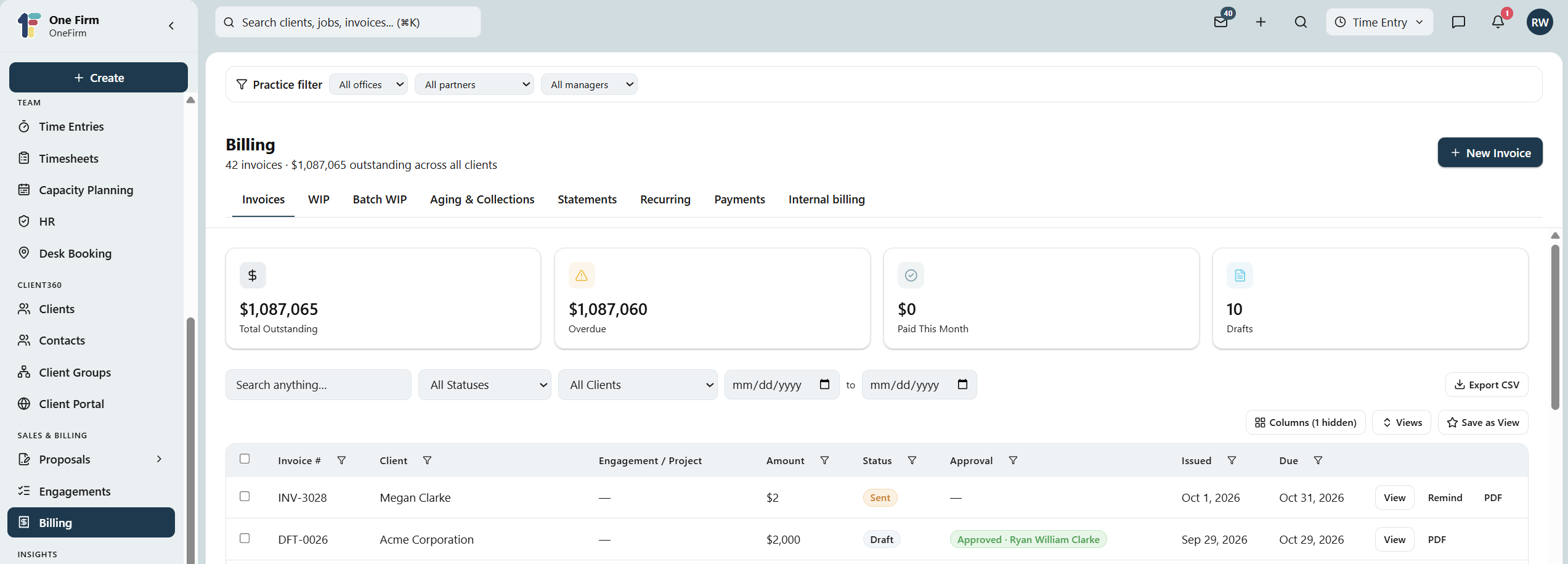
Time logged against the job becomes WIP, and WIP becomes an invoice — with tax, approvals and payment in the same place, so nothing is re-keyed.
Start a timer or log time on desktop or mobile, tagged to client, project and activity.
Submit, approve and lock timesheets, with leave and internal time handled the same way.
Work-in-progress by engagement and project, so nothing bills late or goes unbilled.
Build invoices from the time and WIP behind them, not from a blank page.
Sales tax resolved from each client's own location, not a firm-wide guess.
Card pay-links on every invoice, payments recorded automatically, credit notes when needed.
Why OneFirmOS

How it works
1 · Capture
Staff run a timer or log time on desktop or mobile, tagged to the client, project and activity.
2 · Build the invoice
WIP by engagement becomes an invoice in a click — tax resolved from the client's own location.
3 · Get paid
A card link on the invoice records the payment against it automatically; reminders chase what's overdue.
FAQ
No — it's core to the $55 Platform, including timers, timesheets, WIP, invoicing and payments.
Yes. Every invoice carries a card payment link, and the payment is recorded against it automatically.
By engagement and project, drawn from the time logged — so nothing bills late or slips through unbilled.
One platform
No re-keying between a timer, a spreadsheet and an invoicing tool — the hour you logged is the line the client pays.