1 · Templates generate the work
Recurring engagements spawn on their cadence and roll forward each year, so the board fills itself.
Product · Run the work
Recurring work generated on schedule, a board showing where every file sits, and progress derived from the tasks rather than typed into a box.
What you can do
The work schedules itself, the board shows where everything sits, and the percentage on each card comes from the tasks that are actually done.
Engagements generated on cadence and rolled forward each year, so nothing is forgotten.
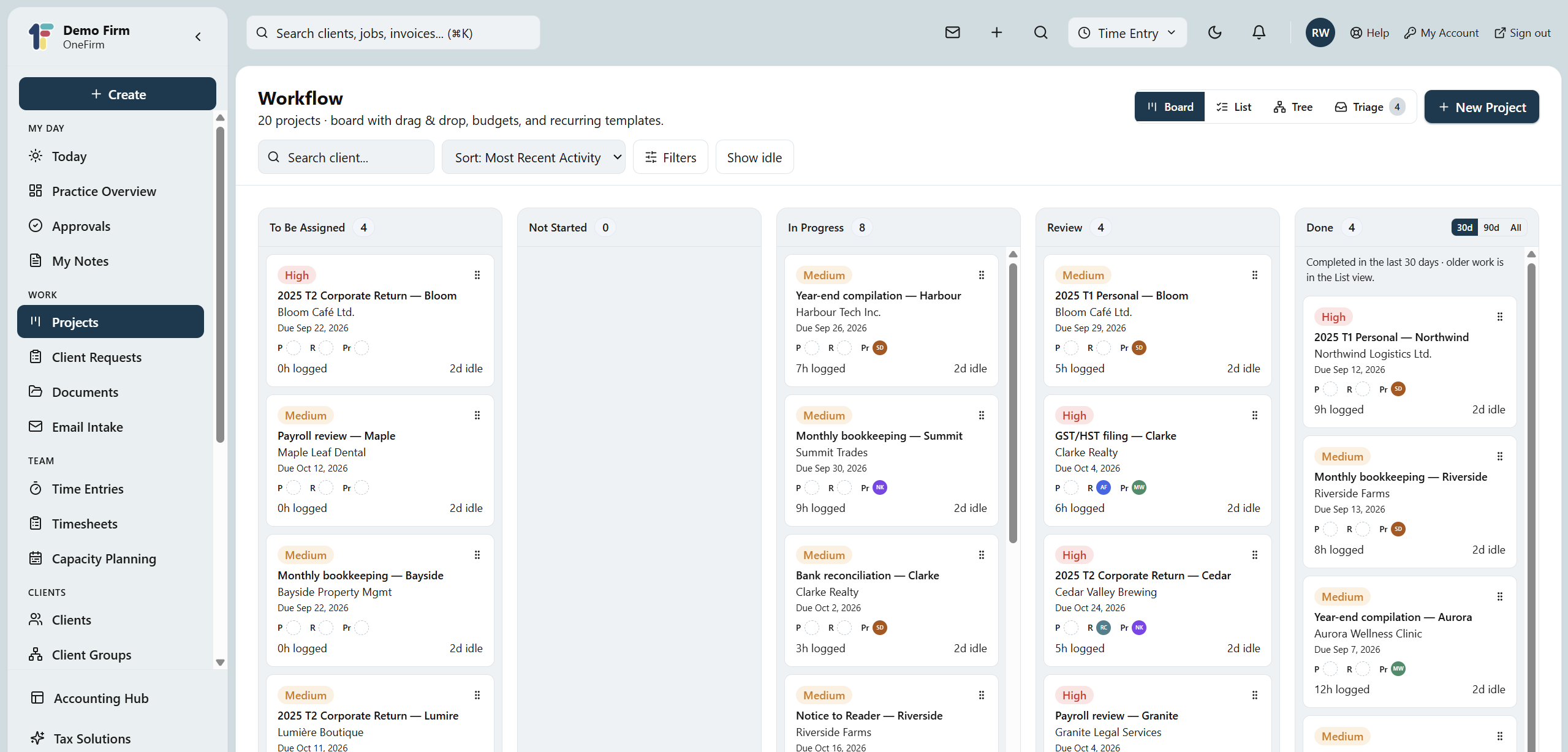
See where every file sits at a glance, and move it with a drag.
Checklists by section, with start and due dates on each task.
Derived from completed tasks, not guessed at in a status field.
Update tasks across many projects at once.
Notify the right people and move work along as statuses change.
Why OneFirmOS

How it works
1 · Templates generate the work
Recurring engagements spawn on their cadence and roll forward each year, so the board fills itself.
2 · The board shows the truth
Every file sits in a column — To be assigned, In progress, Review, Done — and moves with a drag.
3 · Progress is derived
Completed tasks drive the percentage, so the card matches the work actually done.
FAQ
Yes — it's part of the $55 Platform, along with clients, time, billing and reporting.
Yes. Set an engagement's cadence once and the projects appear on schedule and roll forward each year.
Both — the board filters by office, partner, manager or staff, and individuals get their own view of what's on their plate.
One platform
Because the work schedules itself and progress is measured rather than typed, the board is always current — no Monday-morning reconstruction.