1 · Break work into phases
Each engagement is split into phases and its hours spread across the calendar.
Product · Run the work
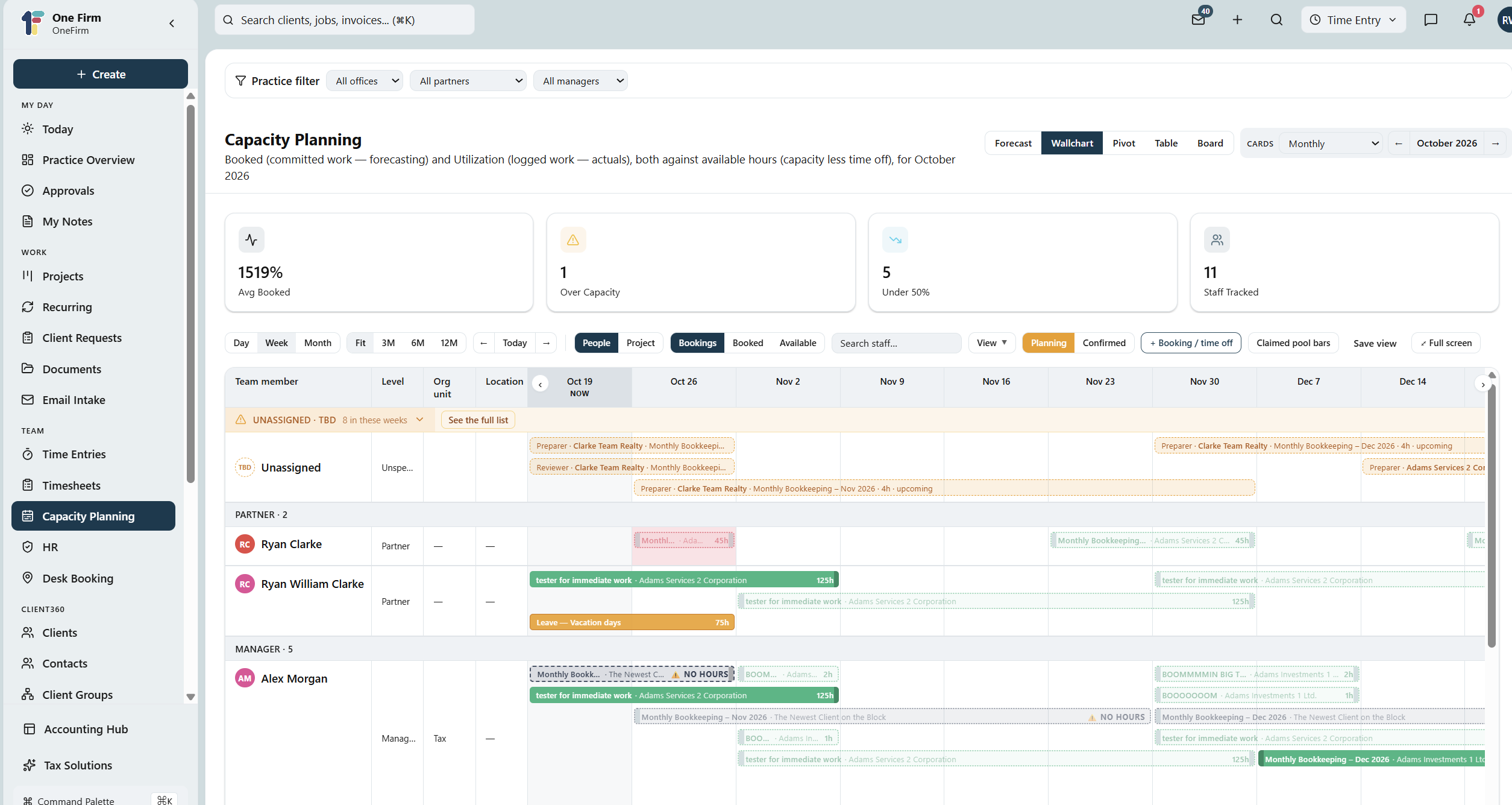
A firm-wide wall chart of who's doing what and when — so work lands where there's room for it and nothing slips.
What you can do
A firm-wide wall chart turns “are we busy?” into a picture — every person, every project, across the weeks ahead.
Every person, every project, across the weeks ahead on one screen.
Break engagements into phases and spread the hours across the calendar.
See who's overloaded and who has room before the crunch hits.
Recurring engagements scheduled across the team automatically.
Split preparer hours across several people on a single project.
Ad-hoc assignments show on the chart with their own dates.
Why OneFirmOS

How it works
1 · Break work into phases
Each engagement is split into phases and its hours spread across the calendar.
2 · See the whole firm
The wall chart lays every person's committed hours against their capacity, week by week.
3 · Rebalance early
Over- and under-allocation show up months ahead, so work moves to where there's room.
FAQ
It's an add-on — $25 per user per month on top of the Platform. It also includes HR (policies, attestations, CPD) and desk booking.
From engagements split into phases and from directly-assigned work, so the wall chart reflects real commitments.
Yes — the chart runs weeks to months out, with recurring engagements rolled forward across the team.
One platform
Capacity is visible months ahead, so busy season is planned — not survived.